

Another way to say “I just wanted to let you know” depends on the situation. Professional options include “I wanted to inform you,” “I’m writing to let you know,” and “Please be aware that.” For a friendly message, try “I wanted to give you a heads-up,” “I thought you should know,” or “I wanted to keep you in the loop.”
Key Takeaways
- “I just wanted to let you know” is polite but can sound repetitive.
- Professional messages often work better with direct alternatives.
- “I wanted to inform you” suits formal workplace communication.
- “I wanted to give you a heads-up” sounds friendly and conversational.
- Choose your wording based on the relationship, purpose, and tone.
What Does “Another Way to Say I Just Wanted to Let You Know” Mean?
“I just wanted to let you know” is a common phrase used to share information, provide an update, or make someone aware of something. It often appears in emails, text messages, workplace conversations, and everyday communication.
The phrase sounds polite and non-confrontational. However, using it repeatedly can make your writing feel predictable or less direct. Choosing a different expression can help you match your message to the situation.
For example, a manager might write “I wanted to inform you that the meeting has been moved,” while a friend might say, “I thought you should know that the plans changed.”
Why Use Other Ways to Say “I Just Wanted to Let You Know”?
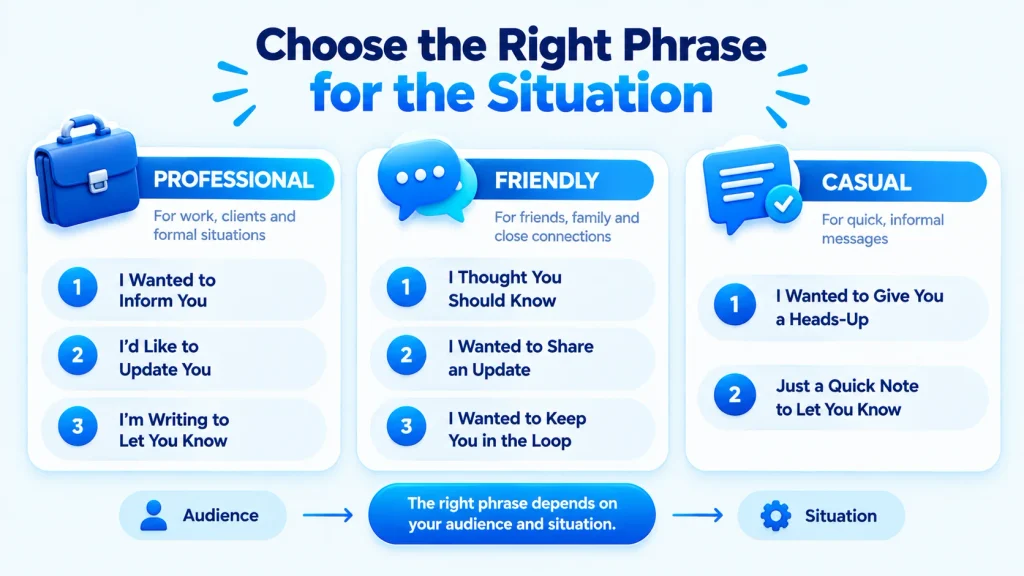
Using an alternative can make your communication clearer, more natural, and better suited to your audience.
Here are some common reasons to choose a different phrase:
- Avoid repetition: Keep emails and messages from sounding formulaic.
- Sound more professional: Use polished wording in workplace communication.
- Be more direct: Clearly state why you are contacting someone.
- Match the relationship: Choose language that fits a coworker, client, friend, or family member.
- Show warmth: A softer expression can make personal communication feel more thoughtful.
10 Best Other Ways to Say “I Just Wanted to Let You Know”
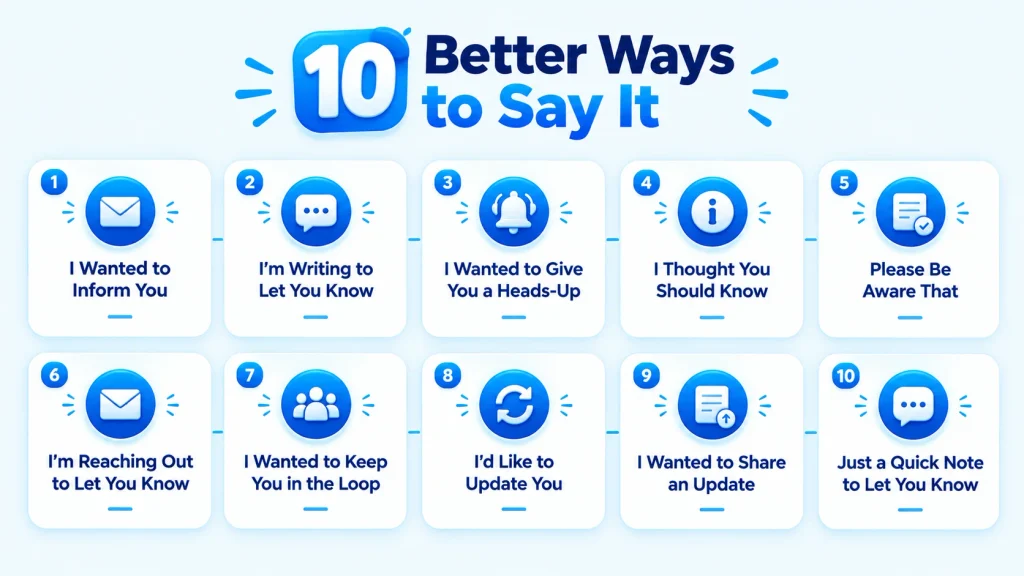
1. I Wanted to Inform You
Meaning
“I wanted to inform you” is a professional and direct way to tell someone about important information. It works especially well when the message involves an announcement, update, decision, or change.
Best For
- Professional
- Formal
- Polite
Example 1
I wanted to inform you that the deadline has been extended until Friday.
Example 2
I wanted to inform you about a change to tomorrow’s training schedule.
Quick Tip
Use this phrase when the information is important enough to deserve a clear, professional tone.
2. I’m Writing to Let You Know
Meaning
“I’m writing to let you know” is a natural choice for emails and written communication. It clearly explains the purpose of the message without sounding overly formal.
Best For
- Professional
- Formal
- Polite
Example 1
I’m writing to let you know that your application has moved to the next stage.
Example 2
I’m writing to let you know about an update to our office policy.
Quick Tip
This is especially useful at the beginning of a formal email when you want to establish the purpose immediately.
3. I Wanted to Give You a Heads-Up
Meaning
“I wanted to give you a heads-up” means you are providing someone with advance notice about something. It is relaxed and conversational rather than formal.
Best For
- Casual
- Friendly
- Polite
Example 1
I wanted to give you a heads-up that traffic may be heavy this afternoon.
Example 2
I wanted to give you a heads-up about the schedule change before tomorrow’s meeting.
Quick Tip
Avoid this expression in highly formal business letters or official documents.
4. I Thought You Should Know
Meaning
“I thought you should know” suggests that the information may be useful, relevant, or important to the other person. It can sound considerate and personal.
Best For
- Friendly
- Casual
- Warm
- Polite
Example 1
I thought you should know that Sarah accepted the new position.
Example 2
I thought you should know that the restaurant is closing earlier tonight.
Quick Tip
Use this phrase when you want to emphasize that you are sharing information because it matters to the other person.
5. Please Be Aware That
Meaning
“Please be aware that” draws attention to information someone needs to understand or consider. It has a professional tone and is often used for policies, notices, instructions, and important updates.
Best For
- Professional
- Formal
- Polite
Example 1
Please be aware that the building will be closed on Monday.
Example 2
Please be aware that additional documentation may be required.
Quick Tip
Use it for important information, but avoid overusing it because it can sound somewhat official.
6. I’m Reaching Out to Let You Know
Meaning
“I’m reaching out to let you know” is commonly used in professional emails and customer communication. It sounds approachable while still maintaining a businesslike tone.
Best For
- Professional
- Friendly
- Polite
Example 1
I’m reaching out to let you know that your order is ready for pickup.
Example 2
I’m reaching out to let you know about an opportunity that may interest you.
Quick Tip
This phrase works well when starting a customer, client, or networking message.
7. I Wanted to Keep You in the Loop
Meaning
“I wanted to keep you in the loop” means you are making sure someone stays informed about an ongoing situation. It suggests continued communication rather than a one-time announcement.
Best For
- Professional
- Casual
- Friendly
Example 1
I wanted to keep you in the loop as we work through the final stages of the project.
Example 2
I wanted to keep you in the loop regarding the changes to the event schedule.
Quick Tip
Use this phrase when the recipient is already involved in the situation or expects ongoing updates.
8. I’d Like to Update You
Meaning
“I’d like to update you” is a concise way to introduce new information. It works well when the recipient already knows about the subject and you are providing the latest details.
Best For
- Professional
- Formal
- Polite
Example 1
I’d like to update you on the progress of your request.
Example 2
I’d like to update you regarding the timeline for the upcoming project.
Quick Tip
This is a strong choice when you are giving an existing contact new information rather than introducing a completely new topic.
9. I Wanted to Share an Update
Meaning
“I wanted to share an update” sounds natural and collaborative. It is useful when you want to provide news without making the message sound too formal or stiff.
Best For
- Professional
- Friendly
- Polite
Example 1
I wanted to share an update on the plans for next week.
Example 2
I wanted to share an update regarding the results of our recent survey.
Quick Tip
Use this option when the information is part of an ongoing project, plan, or conversation.
10. Just a Quick Note to Let You Know
Meaning
“Just a quick note to let you know” is a relaxed way to introduce a short piece of information. It works best when the message is brief and does not require a lengthy explanation.
Best For
- Casual
- Friendly
- Warm
- Polite
Example 1
Just a quick note to let you know that your package arrived this morning.
Example 2
Just a quick note to let you know we’ll be meeting at the new location.
Quick Tip
Use it for short messages, but skip “just” if you want your writing to sound more confident and direct.
Comparison Table
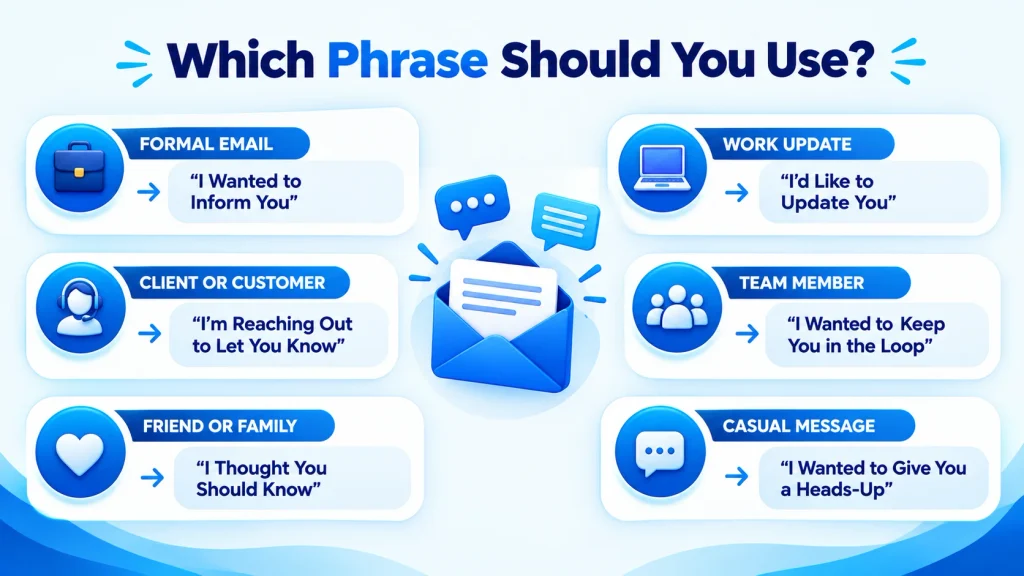
| Alternative | Best Used In | Tone |
| I Wanted to Inform You | Workplace emails, official updates | Professional |
| I’m Writing to Let You Know | Formal emails and notices | Formal |
| I Wanted to Give You a Heads-Up | Everyday messages and casual work chats | Friendly |
| I Thought You Should Know | Personal conversations | Warm |
| Please Be Aware That | Policies, notices, important information | Formal |
| I’m Reaching Out to Let You Know | Client and customer communication | Professional |
| I Wanted to Keep You in the Loop | Ongoing projects and updates | Friendly |
| I’d Like to Update You | Work-related updates | Professional |
| I Wanted to Share an Update | Projects and general communication | Polite |
| Just a Quick Note to Let You Know | Short messages | Casual |
Common Mistakes
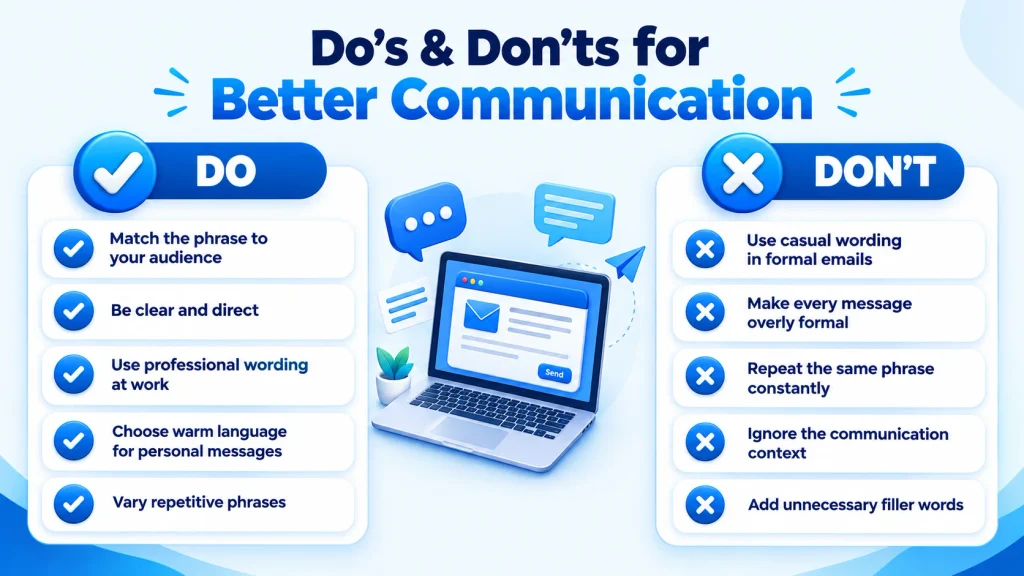
- Using casual phrases in professional emails
Expressions such as “give you a heads-up” may feel too relaxed for formal correspondence. Choose language that matches the workplace and recipient. - Choosing overly formal language
Not every message needs “Please be aware that.” A simple “I wanted to share an update” may sound more natural. - Repeating the same phrase
Starting every email with “I just wanted to let you know” can make your writing repetitive. Vary your wording when appropriate. - Forgetting the context
The best alternative depends on what you are communicating. An ongoing project update calls for different wording than a personal announcement. - Sounding insincere or indirect
Adding unnecessary softening words can weaken your message. When the information is straightforward, state it clearly and confidently.
Frequently Asked Questions

1. What is a professional way to say “I just wanted to let you know”?
A professional alternative is “I wanted to inform you.” Other good choices include “I’m writing to let you know,” “I’d like to update you,” and “I wanted to share an update.” The best option depends on whether you are announcing something new, providing an update, or communicating an important change.
2. What is a casual way to say “I just wanted to let you know”?
For casual conversations, try “I wanted to give you a heads-up,” “I thought you should know,” or “Just a quick note to let you know.” These phrases sound natural in texts, chats, and conversations with friends, family members, or familiar coworkers.
3. How do you say “I just wanted to let you know” in an email?
In an email, you can write “I’m writing to let you know,” “I wanted to inform you,” or “I wanted to share an update.” For less formal emails, “I wanted to give you a heads-up” can work well. Choose the phrase based on your relationship with the recipient and the importance of the information.
4. Is “I wanted to inform you” too formal?
“I wanted to inform you” is more formal than everyday alternatives, but it is not necessarily too formal. It fits professional emails, official announcements, and important updates. If you are writing to a close coworker or friend, “I wanted to give you a heads-up” may sound more natural.
5. Is “I thought you should know” polite?
Yes, “I thought you should know” is generally polite and considerate. It suggests that you are sharing information because you believe it could matter to the recipient. However, the meaning can change slightly depending on context, so use it carefully when the information could be sensitive or concerning.
6. What is the best alternative for a work email?
“I’m writing to let you know” and “I wanted to share an update” are strong choices for most work emails. For a formal announcement, “I wanted to inform you” works well. For a relaxed team environment, “I wanted to keep you in the loop” can sound more natural.
7. Can I use “just wanted to let you know” in professional communication?
Yes. The phrase is common and generally polite in professional communication. However, repeated use can make your emails sound less direct. When appropriate, replace it with a clearer phrase such as “I’d like to update you” or simply state the information directly.
8. How can I sound more confident instead of saying “I just wanted to let you know”?
Remove unnecessary softening and state your purpose directly. For example, instead of “I just wanted to let you know that the meeting has changed,” you can write, “The meeting time has changed to 3 p.m.” Direct wording is often clearer and more confident.
Conclusion
The key is to choose wording that sounds natural, fits the relationship, and makes your message easy to understand. For more guidance on professional email writing, follow established principles of clarity, tone, and concise communication.
For friendly conversations, “I thought you should know” and “I wanted to give you a heads-up” feel more relaxed. When you are providing an ongoing project update, “I wanted to keep you in the loop” is a useful choice.
You also do not need a replacement every time. Sometimes the clearest approach is to skip the introductory phrase and state the information directly. The key is to choose wording that sounds natural, fits the relationship, and makes your message easy to understand.

Editorial contributors help develop practical English-language resources covering vocabulary, expressions, synonyms, and writing. Contributions focus on clear explanations, useful examples, and context so readers can understand not only what a phrase means, but when and how to use it naturally.